


How SMM Panel Orders Actually Work: From Checkout to Delivery
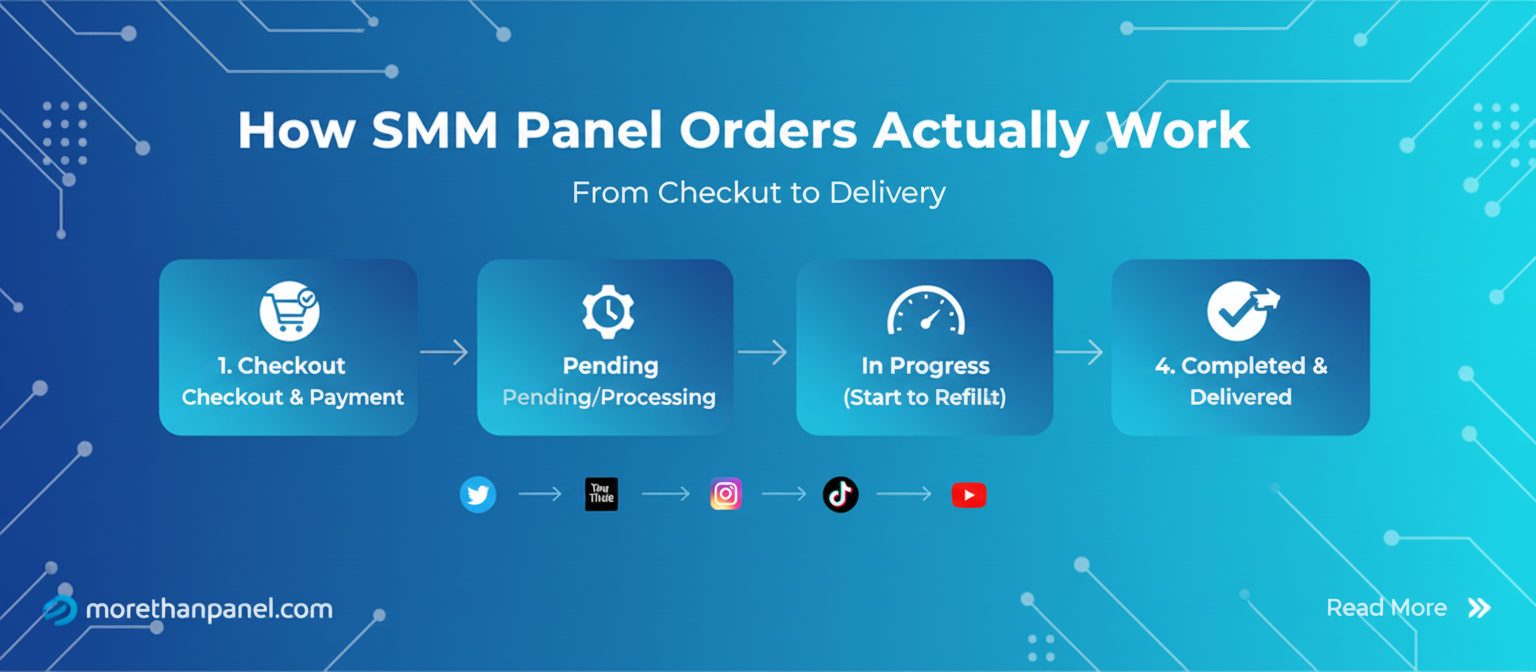
Using an SMM panel looks simple from the outside.
Choose a service. Paste a link. Enter a quantity. Submit the order.
But once you click Place Order, several independent systems may need to agree before anything appears on the target account. The panel has to validate and route the order, an upstream provider has to accept and process it, and the social platform ultimately decides which activity is reflected in its public metrics.
That separation explains many of the questions buyers run into:
Why has an order stayed Pending even though payment was taken?
Why did delivery begin and then stop?
Why can an order show Completed while the visible number still looks different?
Why can a metric decrease after delivery?
Why can two services for the same platform behave very differently?
The useful way to understand an SMM order status is not as one transaction, but as a multi-system lifecycle.
And there is one distinction worth understanding before anything else.
The Most Important Technical Distinction: There Is More Than One “API”
When people say an SMM panel “uses an API,” two very different things can get mixed together.
A panel may use an SMM provider API to send an order to an upstream supplier. That API can contain fields such as a service ID, target URL and quantity.
That does not mean the provider is necessarily using Instagram's, TikTok's or YouTube's official public API to generate followers, likes or views.
Those are separate systems.
Official platform APIs have their own permissions, use cases and rate limits. TikTok, for example, documents request limits for its developer APIs and returns a 429 rate_limit_exceeded response when an application exceeds the relevant limit.
So the safest mental model is:
Buyer → Panel → Upstream provider → Delivery mechanism → Social platform
The API connection between a panel and its supplier is only one link in that chain.
That distinction matters because a problem between the panel and provider can look completely different from a problem occurring at the social-platform layer.
The Three Systems Behind an SMM Order
Most orders involve three broad layers.
1. The Panel: The Storefront Layer
The panel is the system the buyer interacts with.
It usually manages things such as:
user accounts;
balances and payments;
the service catalog;
minimum and maximum quantities;
order creation;
supplier routing;
order statuses;
refill or support requests.
A panel does not necessarily own the infrastructure responsible for fulfilling every service it sells.
In many setups, it acts more like an orchestration layer: it receives the customer's request and forwards the job to an upstream source configured for that particular service.
2. The Provider: The Fulfillment Layer
The smm provider panel is the upstream system responsible for processing the service.
One panel may use many providers, and the same provider may supply many different panels.
This is one reason two services listed side by side on the same website can behave differently.
They may have different:
upstream sources;
queue depths;
start times;
capacity;
refill conditions;
delivery methods;
availability.
An important consequence follows from this:
The performance of one service does not automatically tell you how another service on the same panel will behave.
The panel may be the same while almost everything behind the service is different.
3. The Social Platform: The Measurement Layer
Instagram, TikTok, YouTube and other social networks are not passive destinations.
They operate their own systems for validating accounts, interactions and public metrics.
For example, YouTube explicitly says that it continually confirms engagement events and may temporarily slow, freeze or change visible metric counts while determining whether activity is legitimate. It may also discard low-quality playbacks.
YouTube also states that artificial traffic may not be counted and that subscribers identified as spam do not count toward channel totals.
This creates an important concept for buyers:
Delivered activity and counted activity are not always the same thing.
A provider can report one state while the destination platform later reports another.
Step 1: Account Funding and Balance Confirmation
Before an order reaches a provider, the panel normally has to establish that the customer has enough available balance.
How quickly funds become usable depends on the payment method and the panel's payment processor.
A card transaction may be confirmed quickly, while cryptocurrency or other payment methods can require additional confirmation or processing.
Once the panel recognizes the funds, the customer's internal panel balance becomes available.
When an order is submitted, the panel commonly reserves or deducts the cost at the beginning of the order lifecycle rather than waiting for final delivery.
That explains a situation that sometimes confuses new buyers:
Your panel balance can decrease before any visible engagement appears.
Payment confirmation and service delivery are separate events.
Step 2: Order Validation
Clicking Place Order does not necessarily send the request straight to the provider.
The panel can first check whether the order meets the rules configured for that service.
Typical checks may include:
Target format
A service expecting an Instagram profile needs a different type of target from one expecting a specific post, Reel, TikTok video or YouTube URL.
Minimum and maximum quantity
Services normally have defined order limits.
Available balance
The account must have enough credit for the requested quantity.
Required service parameters
Some services may require additional inputs or specific link formats.
Public accessibility
Depending on the service, a private, deleted, restricted or otherwise inaccessible target can prevent fulfillment.
If validation fails here, the order may never reach the upstream provider at all.
This gives us the first useful troubleshooting distinction:
A very fast rejection often points to an input or validation problem. A long-running failure more often means the order progressed further into the lifecycle.
That is not a universal rule, but it is a more useful diagnostic than treating every Cancelled order as the same problem.
Step 3: Dispatch to the Upstream Provider
Once an order passes the panel's checks, the panel can submit it to the provider configured for that service.
A typical provider request may contain information such as:
the provider-side service identifier;
the target URL or username;
the requested quantity;
authentication information for the panel's provider account.
The provider then either accepts the request or returns an error.
If accepted, two order IDs can now exist:
Panel order ID: the ID visible to the customer.
Provider order ID: the upstream ID the panel uses internally to track the job.
That distinction is invisible to most buyers, but it helps explain an important phenomenon:
One order can have two different states at the same moment.
The provider may already be processing an order while the panel has not yet refreshed its customer-facing status.
Or the provider may have stopped processing while the panel still shows the previous status until its next synchronization.
In other words, an SMM order status explianed is often a reported state, not a live view of every event happening upstream.
Step 4: Queueing
Provider acceptance does not necessarily mean delivery starts immediately.
The order may first enter a queue.
Queue behavior can depend on variables such as:
current service demand;
upstream capacity;
requested quantity;
temporary supplier availability;
platform conditions;
service configuration.
This is why the word Instant should not automatically be interpreted as “all units appear immediately.”
On many panels, terms such as instant, fast or 0–1 hour start describe an expected start profile rather than a hard real-time guarantee.
There is also another important distinction:
Start time is not delivery time.
A service could begin in 10 minutes and still require many hours to finish.
Another service could wait several hours before starting and then deliver quickly.
When evaluating an order, buyers should therefore separate three numbers:
Time to start → delivery rate → total completion time
Treating those as one metric causes a surprising amount of unnecessary support traffic.
Step 5: Active Delivery
Once capacity is available, delivery begins.
Exactly how fulfillment occurs varies by provider and service, and this is one area where buyers should be skeptical of overly precise claims.
From the outside, a panel customer generally cannot verify whether a particular service is fulfilled through a proprietary network, third-party supply, advertising inventory, managed accounts or another mechanism unless the provider discloses it.
For that reason, statements such as “every follower service works this way” are usually too broad.
What the buyer can observe is the delivery pattern.
For example:
Burst delivery
A large portion of the order arrives within a short period.
Gradual delivery
The number rises steadily over time.
Drip-feed delivery
Smaller orders or batches are intentionally spaced across a schedule. For more details about how drip-feed work please check our drip-feed delivery explained blog.
Interrupted delivery
The order begins normally but stops before reaching the requested quantity.
These patterns are more useful to a buyer than assumptions about infrastructure they cannot see.
Step 6: The Platform Decides What Actually Counts
This is where the lifecycle becomes especially important.
The provider and the social platform do not necessarily measure an event in the same way.
YouTube provides a particularly clear public example.
Its documentation says engagement metrics are algorithmically confirmed and that counts may be temporarily slowed, frozen or adjusted while its systems verify activity.
YouTube's fake-engagement policy also says traffic identified as artificial may not be counted, and spam subscribers can be removed from channel totals.
That means the following sequence is possible:
Provider reports delivery → panel records progress → platform validates activity → visible count changes
The last step belongs to the platform, not to the panel.
This is why looking only at the panel dashboard can give an incomplete picture.
The “Three Clocks” of an SMM Order
A useful way to understand this is to imagine that every order runs on three clocks.
Clock 1: The Panel Clock
What does your panel dashboard currently show?
Pending? Processing? In Progress? Completed?
Clock 2: The Provider Clock
What state has the upstream provider actually reached?
Accepted? Queued? Delivering? Partially fulfilled? Finished?
Clock 3: The Platform Clock
What does Instagram, TikTok, YouTube or another destination currently recognize and display?
Those three clocks do not always update simultaneously.
A large number of confusing SMM support cases can be understood simply by asking:
Which clock are we looking at?
For example, an order may be finished according to Clock 2 while Clock 1 has not synchronized yet.
Or both the panel and provider may show completion while Clock 3 later adjusts the visible metric.
That does not automatically identify the cause, but it tells you which layer requires investigation.
Step 7: Status Synchronization
While an order is active, the panel needs some way to learn what is happening upstream.
Depending on the provider integration, it may query the provider periodically, receive updates, or use another synchronization mechanism.
The panel then maps upstream information into customer-facing statuses such as:
Pending
The order exists but delivery has not yet been confirmed as started.
Processing / In Progress
The order has progressed beyond initial submission and is being worked on.
Completed
The fulfillment system considers the order completed.
Partial
The provider stopped before fulfilling the entire requested quantity.
Cancelled
The order could not proceed or was terminated before fulfillment.
Exact status definitions vary between panels, which is why the service's own documentation should take precedence over assumptions based on another panel.
Step 8: What “Completed” Actually Means
One of the most useful things an SMM buyer can understand is that Completed is a workflow status, not a permanent guarantee about the future state of a social account.
A Completed status typically means the fulfillment process has reached its configured endpoint.
It does not necessarily mean:
the engagement can never be removed;
the social platform has permanently accepted every event;
the number will remain unchanged forever;
the platform's public display will always match the provider's record.
Platforms continue enforcing their integrity rules after activity occurs.
This is especially clear on YouTube, which says its systems continually confirm and adjust engagement events.
Meta has similarly stated that it investigates and removes fake engagement, spam and artificial amplification on its platforms.
TikTok says it does not allow fake engagement or services that artificially increase metrics such as followers or likes.
That creates real platform-policy risk around artificial engagement services, and buyers should check the current rules of the destination platform before using any third-party engagement service.
Step 9: Drops and Refills
Delivery can finish while the broader lifecycle continues.
Suppose an order delivers 1,000 followers.
Later, some of those accounts disappear from the visible follower total.
From the buyer's perspective, this is usually called a drop.
But several different events can produce a similar visible result:
accounts may be deleted;
accounts may be suspended;
the platform may classify activity as invalid;
users may independently unfollow;
metric reconciliation may change the displayed number.
Because the visible symptom can have several causes, a buyer generally cannot determine the exact mechanism from the number alone.
This is why statements such as “all drops happen because of X” should be treated cautiously. For more details you can check our smm panel drops rate explained article.
What Is a Refill?
Some services include a refill period.
If the service falls below the provider's qualifying threshold during that period, a refill request may initiate another fulfillment cycle.
Conceptually:
Original order → completion → qualifying drop → refill request → provider processing → additional delivery
The panel can track a refill separately from the original fulfillment process as the request moves through its applicable stages. See how refill orders appear in your dashboard to understand refill statuses, eligibility, and the order information displayed during the process.
The exact rules vary by service.
A refill guarantee can differ by:
guarantee duration;
minimum loss required;
automatic versus manual refill;
refill frequency;
exclusions;
whether the original target must remain unchanged.
For buyers, the refill terms are therefore often more useful than a vague label such as “HQ.”
A Better Way to Diagnose SMM Order Problems
Instead of immediately asking, “Why isn't my order working?”, identify the stage where the behavior changed.
| Symptom | First Layer to Check | Questions to Ask |
|---|---|---|
| Order cancelled immediately | Panel validation / provider acceptance | Was the correct target used? Is the target public? Was the quantity valid? |
| Pending longer than expected | Panel/provider handoff | Has the stated maximum start time passed? |
| Started and then stopped | Provider fulfillment | Is the service experiencing limited capacity or interruption? |
| Partial status | Provider completion | How much was delivered, and was the undelivered portion credited? |
| Completed but visible metric differs | Platform measurement | Has the platform validated or adjusted the activity yet? |
| Count falls after completion | Platform/account layer | Was activity removed, were accounts disabled, or did users unfollow? |
| Refill does not start | Refill eligibility | Is the order still inside the refill window and within the service's conditions? |
This diagnostic approach is better than treating every delay as “the panel is broken.”
Different symptoms point to different layers.
Why Similar-Looking Services Can Behave Completely Differently
Two services may both say:
Instagram Followers — 10K Maximum
Yet one can start quickly while the other takes hours.
One can deliver gradually while the other arrives in bursts.
One can include refills while the other does not.
Why?
Because the public-facing service name tells you very little about the upstream infrastructure.
Services can differ in:
provider;
account source;
delivery capacity;
guarantee structure;
geography;
speed;
replenishment rules;
current availability.
This is one reason service descriptions matter more than broad labels such as “premium,” “realistic,” “high quality” or “instant.” These differences become easier to evaluate when services are grouped by their underlying purpose and delivery characteristics. Compare the main SMM panel service types to understand how each category differs before choosing a service.
Those labels are marketing terms unless the panel explains what they specifically mean.
What Buyers Can Actually Verify
SMM infrastructure is largely opaque from the customer's side.
So instead of trying to guess exactly what happens inside a provider's private systems, focus on variables you can observe.
Before Ordering
Check:
correct target type;
minimum and maximum quantity;
expected start time;
expected speed;
refill terms;
cancellation rules;
whether the target must remain public.
During Delivery
Compare:
the panel status;
the visible platform metric;
how long the order has been active;
the service's advertised timing.
After Delivery
Record:
the count when the order completes;
subsequent changes;
whether the service is still inside its refill window.
This creates a much better support record than simply saying, “My followers dropped.”
Platform Rules Are Part of the Lifecycle Too
There is one factor that should not be hidden in a technical explanation of best SMM panels provider: social platforms can prohibit artificial engagement.
YouTube explicitly prohibits artificially increasing views, likes, comments and other metrics, and says artificial traffic can be excluded from counts or result in enforcement.
TikTok states that it does not allow fake engagement, including the sale of followers or likes and instructions intended to artificially increase engagement.
Meta has also described fake engagement, spam and artificial amplification as forms of inauthentic behavior it investigates and removes.
This matters technically as well as from a policy perspective.
The social platform is not simply the final delivery address.
It is an independent system capable of deciding that some activity should not be counted, should be removed later or should trigger enforcement.
That is why no third-party provider can control the entire lifecycle.
The Key Insight: An SMM Order Is a Distributed Process
The easiest mistake to make is imagining an order as:
Pay → followers arrive → finished
The real lifecycle is closer to:
Order submitted
→ panel validates it
→ panel routes it
→ provider accepts it
→ provider queues it
→ delivery begins
→ the platform records and evaluates activity
→ the panel synchronizes status
→ the order completes
→ the platform may continue evaluating activity afterward
Once you understand that sequence, order statuses become much easier to interpret.
Pending is no longer simply “nothing is happening.”
Completed no longer automatically means “the visible number can never change.”
Partial no longer looks like a mysterious random status.
Each one points to a different stage in a system involving multiple independent actors.
And that leads to the most useful rule for troubleshooting an SMM order:
Don't ask only whether the order failed. Ask which layer stopped matching expectations.
That question usually gets you much closer to the real problem.