


How It Works at MoreThanPanel ?
SMM Panel works through a web‑based dashboard where a user creates an account, chooses from a list of services (followers, likes, views, or comments) for a specific social platform, provides the relevant post or profile link, deposits funds, and submits an order. The platform forwards the request to third‑party sources or networks that execute the engagement tasks, and the user monitors progress via the dashboard after payment. The system operates through automation and Application Programming Interfaces (APIs) to connect service requests with providers who deliver the engagement. It frequently utilizes reseller networks and bulk sources of social activity to fulfill these requests. The user sees increased numeric metrics on their social profiles, but must remain aware that the practice conflicts with platform policies, and the underlying quality of engagement varies.

Register & Log in
Sign up or register on our website portal with email id, username & password. Then log in to your customer dashboard. We made the register process very easy and basic for you, and please don’t worry!All your personal details are safe with us. We never share your information with third parties.

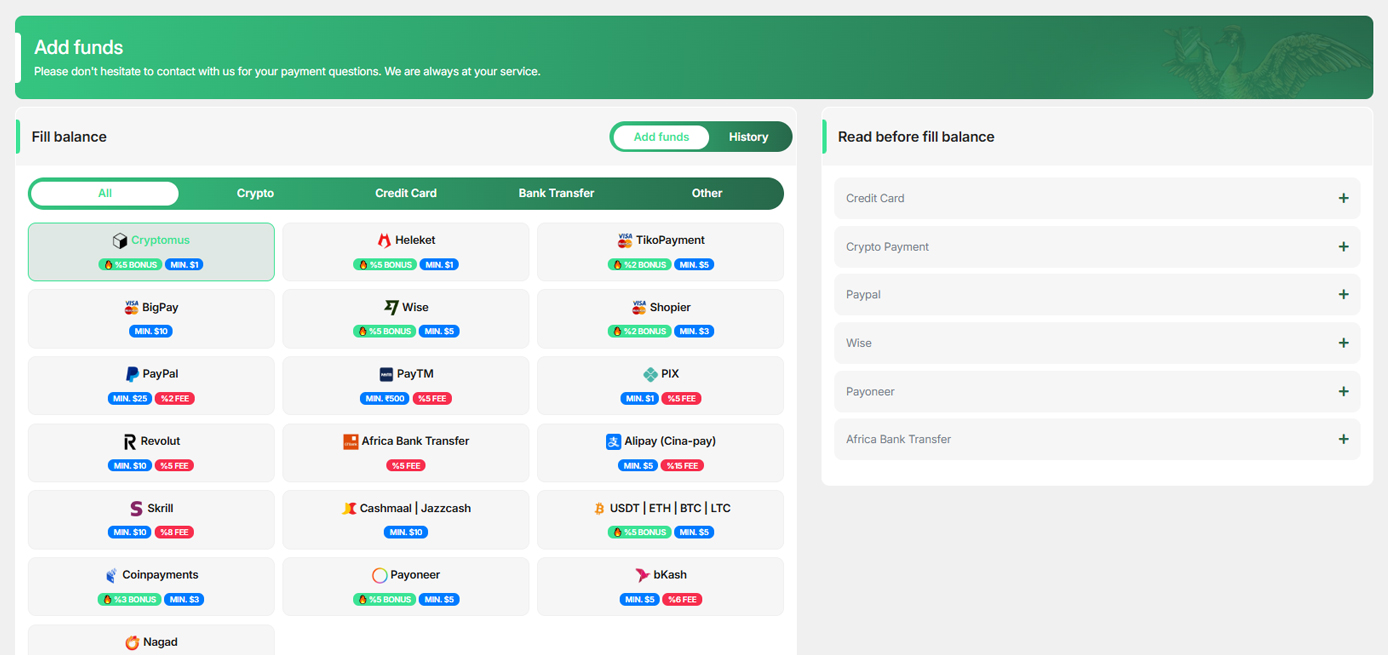
Add Funds
The next step is to choose the best payment method for you to add funds. You can find the ‘’add funds’’ section at the left bar of your dashboard.
Create Order
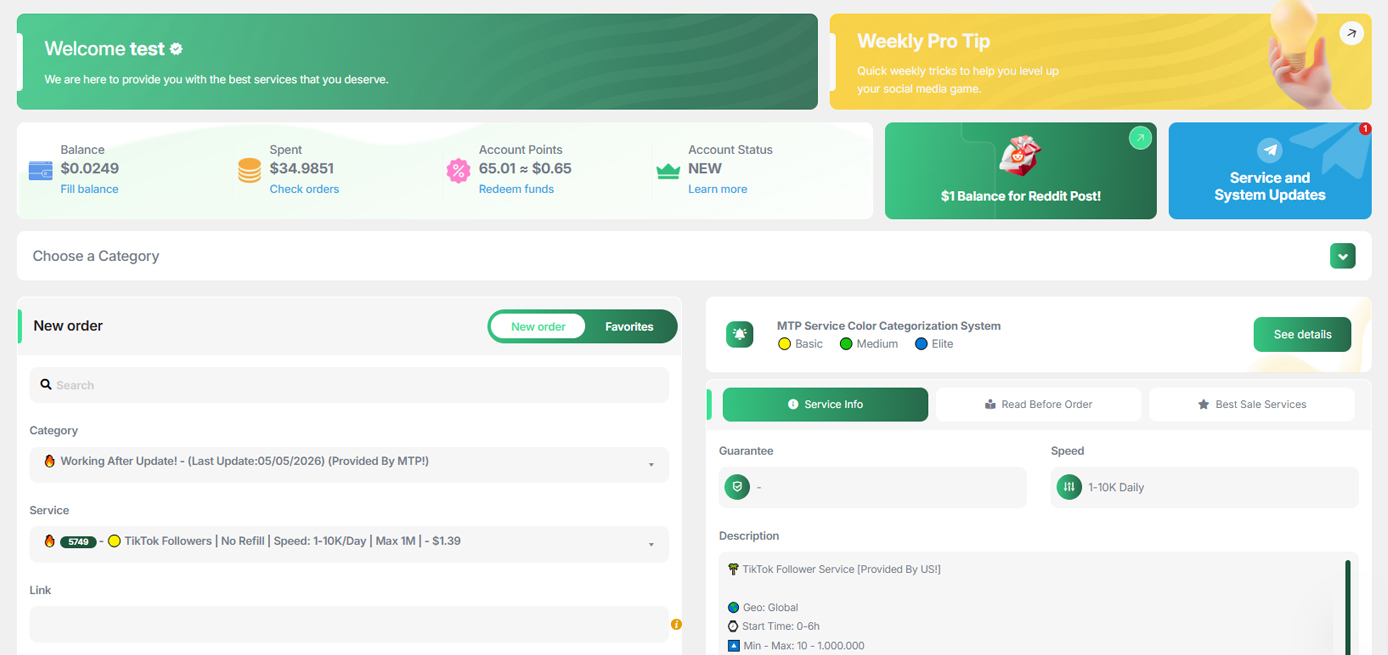
Select your required SMM services, enter the quantity you want, and confirm the order. You can buy multiple SMM services at a time.
Enjoy Great Result
Just sit back and enjoy the great results. It won't take long. You can track all your orders' status from the ‘’Orders History’’ section. You will be informed once your order is completed.

What happens after you place an order?
After your order is submitted, the system processes it according to the selected service and keeps the current status visible in your panel.
Your order details are received by the system.
The order is routed through the selected service workflow.
The service delivery process begins.
You can view the current order status from your panel.
Once completed, the result is reflected in your panel.
Manage your order workflow from one place.
Your panel brings the essential information together, from choosing a service to monitoring your order status.
- Explore services by category and platform.
- Monitor your orders and their current status.
- Manage your balance and transaction history.
- Contact support whenever you need assistance.
More than services. A trusted infrastructure.
MoreThanPanel is built around security, payment infrastructure, automation and operational transparency.
Password-Free
You do not need to share your social media password to place an order.
Secure Payments
Payments are handled through security-focused payment infrastructure.
Automated Processes
Order processing and status updates are supported by automated systems.
Corporate Infrastructure
The platform is structured to serve customers across different markets.
Built for a better SMM panel experience.
When we built MoreThanPanel, our goal was not simply to offer more services. We wanted to create a clearer user experience, stronger infrastructure and a system that makes it easier for resellers to manage their business.
As the platform continues to evolve, we focus on user feedback, technology and operational needs. Our goal is to make MoreThanPanel more than a service panel — a reliable infrastructure for long-term partners.

Simplicity, trust and scalability.
Every new feature and improvement is designed to make the panel easier to understand and operations easier to manage.